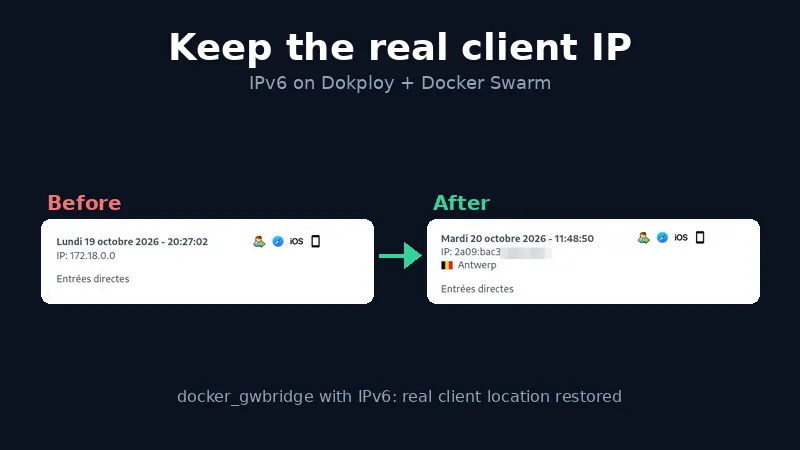
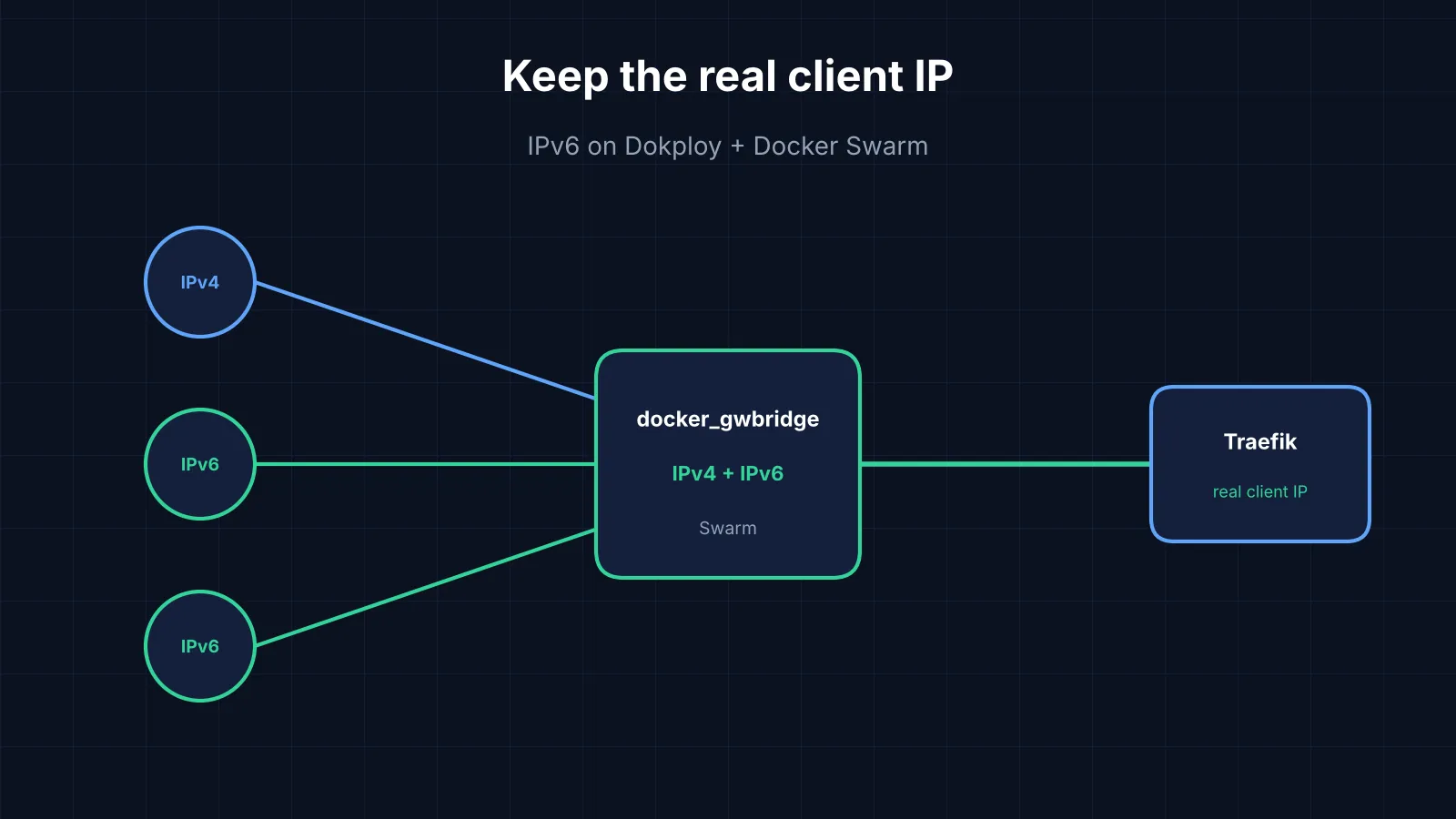
If Traefik on your Dokploy host logs every IPv6 visitor as the Docker gateway (172.18.0.1 on a default Swarm) while IPv4 visitors show their real address, the fix is to recreate docker_gwbridge with IPv6 enabled before the Swarm is initialised.
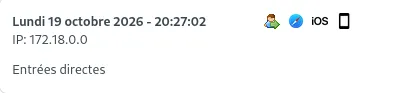
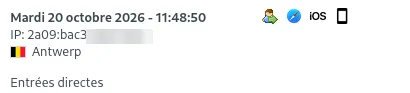
We noticed it through Matomo, deployed on Dokploy behind Traefik: its visitor log showed the Docker network address instead of real IPs. We anonymise visitor IPs in Matomo, so the stored address is obfuscated anyway; what we need the real IP for is the approximate location of the visit, which Matomo’s geolocation derives from it. With the gateway address, every visit lost its location. Analytics are only the visible part. Rate limits and intrusion-prevention bans also hit the wrong address, and as more visitors arrive over IPv6 the blind spot grows.
This post assumes a single-node Swarm and a reverse proxy running as a plain container. Names, subnets and digests below are placeholders.
Warning: back up first, and test the restore. The fix destroys every Swarm service, secret and overlay network. Take a full server snapshot and a separate file-level backup of all volumes and bind-mounted data, kept off the server. We use restic driven by Backrest, a web UI for repositories, schedules, retention and restores. Both are excellent, free and open source. Whatever you use, restore from it at least once before the window.
Why the IP disappears
IPv4 visitor  (works)
┌──────────────────────┐       ┌──────────────────────┐       ┌────────────────────────────┐
│ Client               │──────►│ Kernel NAT (DNAT)    │──────►│ Traefik sees the real IPv4 │
└──────────────────────┘       └──────────────────────┘       └────────────────────────────┘

IPv6 visitor, default Swarm: IPv4-only docker_gwbridge  (broken)
┌──────────────────────┐       ┌──────────────────────┐       ┌────────────────────────────┐
│ Client               │──────►│ docker-proxy         │──────►│ Traefik sees 172.18.0.1    │
└──────────────────────┘       │ (source rewritten)   │       │ (the gateway)              │
                               └──────────────────────┘       └────────────────────────────┘

IPv6 visitor, IPv6-enabled docker_gwbridge  (works)
┌──────────────────────┐       ┌──────────────────────┐       ┌────────────────────────────┐
│ Client               │──────►│ Kernel NAT           │──────►│ Traefik sees the real IPv6 │
└──────────────────────┘       │ IPv6 end to end      │       └────────────────────────────┘
                               └──────────────────────┘
A container on a Swarm overlay network also gets an interface on docker_gwbridge, the bridge Swarm creates for traffic to and from the outside (Swarm networking). That bridge is IPv4-only by default. When a published port is reached over IPv6 and the target has no IPv6 address behind it, Docker falls back to its userland docker-proxy, which opens a new connection and rewrites the source to the gateway. IPv4 takes the kernel NAT path and keeps its source.
This is our reading, confirmed by experiment rather than by Docker’s source. The tests below are how we checked.
Confirm it first
Test 1: compare IPv4 and IPv6 on the same site. Tag each request with a marker and find it in the proxy’s JSON access log. Run curl from another machine, since a server often cannot reach its own public name (hairpin NAT).
curl -4 -sI "https://app.example.com/?t=v4test" >/dev/null
curl -6 -sI "https://app.example.com/?t=v6test" >/dev/null

# on the server
grep -E 'v4test|v6test' /path/to/access.log \
  | grep -o -E '"(ClientHost|RequestPath)":"[^"]*"'
For us, IPv4 showed the real address and IPv6 showed 172.18.0.1. That asymmetry is the signature.
Test 2: prove Docker can preserve the source over IPv6. A throwaway IPv6 bridge with a whoami container, without touching your Swarm:
docker network create --ipv6 \
  --subnet 172.30.0.0/16 --subnet fd00:172:30::/64 ipv6test
docker run -d --rm --name whoami6 --network ipv6test -p 18080:80 traefik/whoami

# from another machine (open the port in your firewall first)
curl -6 "http://[<server-ipv6>]:18080/"

docker rm -f whoami6 && docker network rm ipv6test
If RemoteAddr is your real IPv6 address, Docker does the right thing once the network has IPv6, and the Swarm gateway bridge is the missing piece.
The fix, and what it costs
Recreate docker_gwbridge with IPv6 and the same IPv4 subnet, then initialise the Swarm, which adopts the existing bridge. The method comes from community guides, not Docker’s documentation: the Co-op Cloud operators handbook and a Dokploy-on-Hetzner gist (an IPv6-only setup, cited for the bridge recreation). We verified that docker network inspect docker_gwbridge still reports IPv6 after swarm init. Creating the bridge with --ipv6 was enough for us; we did not need "ipv6": true in daemon.json.
The cost is real, because the bridge cannot be replaced while the node is in the Swarm:
docker swarm leave --forcedestroys every service, secret and overlay network.- Named volumes and bind mounts survive. Standalone containers keep running but lose their overlay attachments.
- Everything the platform created must be recreated, then each application redeployed.
A cheaper stop-gap if you only need the IP on a few sites: remove their AAAA records. Visitors fall back to IPv4 and keep their real address, at the price of IPv6 on those sites.
Runbook
Before the window
-
Back up (see the warning at the top). Also dump databases with their native tool, since a snapshot of a running database is only crash-consistent. Put monitoring into maintenance mode.
-
Export every Swarm secret, byte for byte.
docker secret inspectnever shows values, but a container that mounts the secret can print it. The platform service may mount several (a database password and an auth secret, for example). Losing one invalidates sessions even if the database comes back fine.cid=$(docker ps -q --filter label=com.docker.swarm.service.name=<platform-service>) docker exec "$cid" cat /run/secrets/<mounted-name> > ~/<secret-file> wc -c ~/<secret-file>; sha256sum ~/<secret-file>Copy the files off the server into your password manager and compare size and checksum. A redirect such as
ssh host 'sudo cat file' > local-filesilently yields an empty file ifsudoasks for a password. -
Save the specs of what you will recreate:
docker service inspectfor each service,docker network inspectfor the overlay,docker_gwbridgeand ingress. Keep image digests, environment, mounts, secret names, constraints, published ports, and the aliases of standalone containers on the overlay. -
Clean up carefully. Dead services and old previews each add a redeploy. Never run a blanket
docker volume pruneordocker system prune: “unused” volumes can hold real data, and your apps may be local images.
During the window
1 backups, secrets, specs        site up
        ▼
2 stop proxy, leave Swarm        ◄── downtime from here
        ▼
3 recreate gwbridge with --ipv6
        ▼
4 swarm init, networks, secrets
        ▼
5 recreate services and proxy
        ▼
6 redeploy apps, validate site back up-
Stop the proxy and detach standalone containers.
docker rm -f <proxy-container> docker network disconnect -f <overlay> <standalone-container> -
Leave the Swarm and remove the old bridge. Every site is down from here. If Docker reports active endpoints, find them with
docker network inspect docker_gwbridge, disconnect them and retry.docker swarm leave --force docker network rm docker_gwbridge -
Recreate the bridge with IPv6, reusing the options from your saved
network inspect.docker network create --driver bridge \ --subnet 172.18.0.0/16 --gateway 172.18.0.1 \ --ipv6 --subnet fd00:172:18::/64 \ --opt com.docker.network.bridge.name=docker_gwbridge \ --opt com.docker.network.bridge.enable_icc=false \ --opt com.docker.network.bridge.enable_ip_masquerade=true \ docker_gwbridge -
Initialise the Swarm with the same advertise address, and check the bridge kept IPv6.
docker swarm init --advertise-addr <same-address> docker network inspect docker_gwbridge --format '{{.EnableIPv6}}' # true -
Recreate the overlay network and secrets. Create secrets from the files, never with
echoorprintf, so the bytes (including a trailing newline) match.docker network create --driver overlay --attachable <overlay> docker secret create <secret-name> <secret-file> -
Recreate the platform services in dependency order: database, cache, platform, with the saved digests, mounts, secret targets and networks. Wait for the database’s “ready to accept connections” before starting the platform.
-
Start the proxy with the same bind mounts and published ports (80/tcp, 443/tcp, 443/udp) on the overlay, and confirm they are published on both IPv4 and
[::]. -
Reattach standalone containers with their original aliases (
docker network connect --alias <alias> <overlay> <container>), then redeploy your stacks and applications from the platform’s interface.
Validate
Repeat Test 1 from outside with a fresh marker:
curl -6 -sI "https://app.example.com/?t=final6" | head -1
grep final6 /path/to/access.log | grep -o '"ClientHost":"[^"]*"'
ClientHost must now be your own IPv6 address. Then check that the application uses it: many apps only trust the forwarded-for header from known proxies, so the trusted-proxy setting must cover the overlay subnet. For Matomo, see its reverse proxy documentation (proxy_client_headers[], proxy_ips[]); ours was already configured, so the fix on the Docker side was all it needed. New visits now get their approximate location again (the stored IPs stay anonymised).
Pitfalls
- Restart policies. After our first reboot, two standalone containers did not come back because their policy was
no. Fix a running container withdocker update --restart=unless-stopped <container>, and set the same in the compose file so a redeploy does not undo it. - Attached volumes. A
nofailentry in/etc/fstablets the system boot without the volume, and containers bind-mounting a path under it would start on an empty folder. Runfindmnt <mount-point>first after every reboot. - Re-test after a daemon restart and a reboot. One guide warns the bridge can come back without IPv6. On our host a Docker package upgrade and a full reboot both kept it, and the real client address survived. Treat that as one data point.
- Delete the exported secrets from the server (
shred -u) once they are safe in your password manager.
We ran this on a single-node Swarm. Multi-node clusters, where each node has its own gateway bridge, are untested and would probably need adapting.